DocBrowser
DocBrowser lets you browse Julia's manual, your packages' manuals and every docstring, full window, right in the REPL. It works offline, and it shows the docs of the versions you have installed.
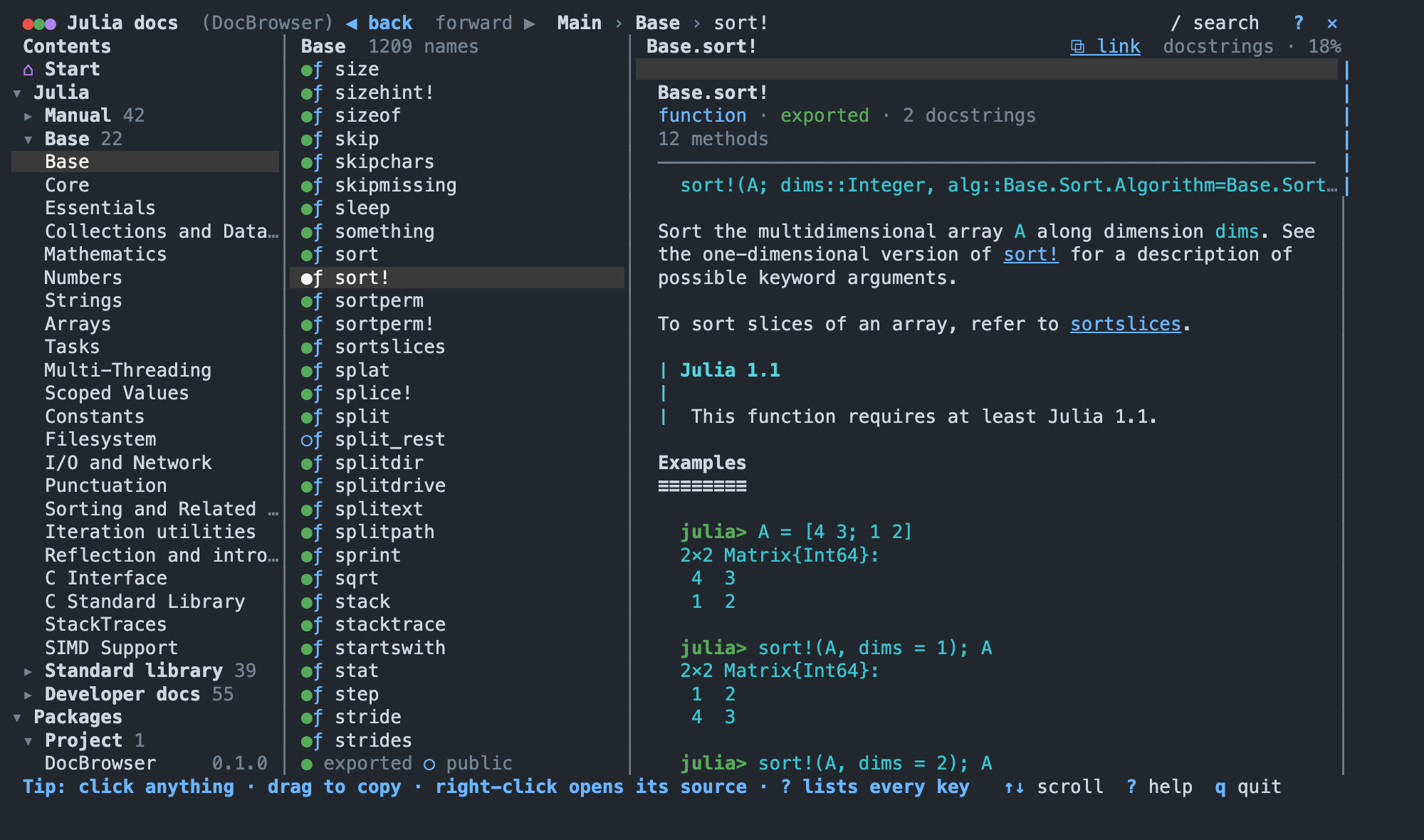
Getting started
pkg> add DocBrowser

julia> using DocBrowser

help?>                          # press Enter at the empty prompt to open the browser

help?> sum                      # or type a name and press Alt-Enter to open it there

help?> docs: manual/variables   # or go straight to a manual page
Press ? in the browser to see every key, and q to close it. It opens again where you left it.
To have help mode open the browser in every session, add this line to ~/.julia/config/startup.jl:
isinteractive() && @eval using DocBrowserWhat you see
The window has three panes, from left to right:
- Contents: Julia's manual, then your packages: the active project, its dependencies, and
Mainfor your own definitions. Packages that aren't loaded yet are listed too; press Enter on one to load it. - Names: the sections of a manual page, or the names in a module.
●marks exported names,○public ones and·internal ones (hidden until you pressi). - Documentation: the page itself. Names and packages it mentions are links, and long pages start with a list of their headings.
Keys
| Key | Does |
|---|---|
arrows, or h j k l | move |
| Enter / Backspace | open / go back |
| Tab | step through the links of a page |
/ | search names, manuals and docstrings (Ctrl-T narrows to names, then to text) |
y | close, and put the current name, or the code under the cursor, at the julia> prompt |
e | open the source in your editor (JULIA_EDITOR) |
c | copy a link to this place |
x | unfold extended help |
i | show internal and deprecated names |
w | change the layout |
? | list every key |
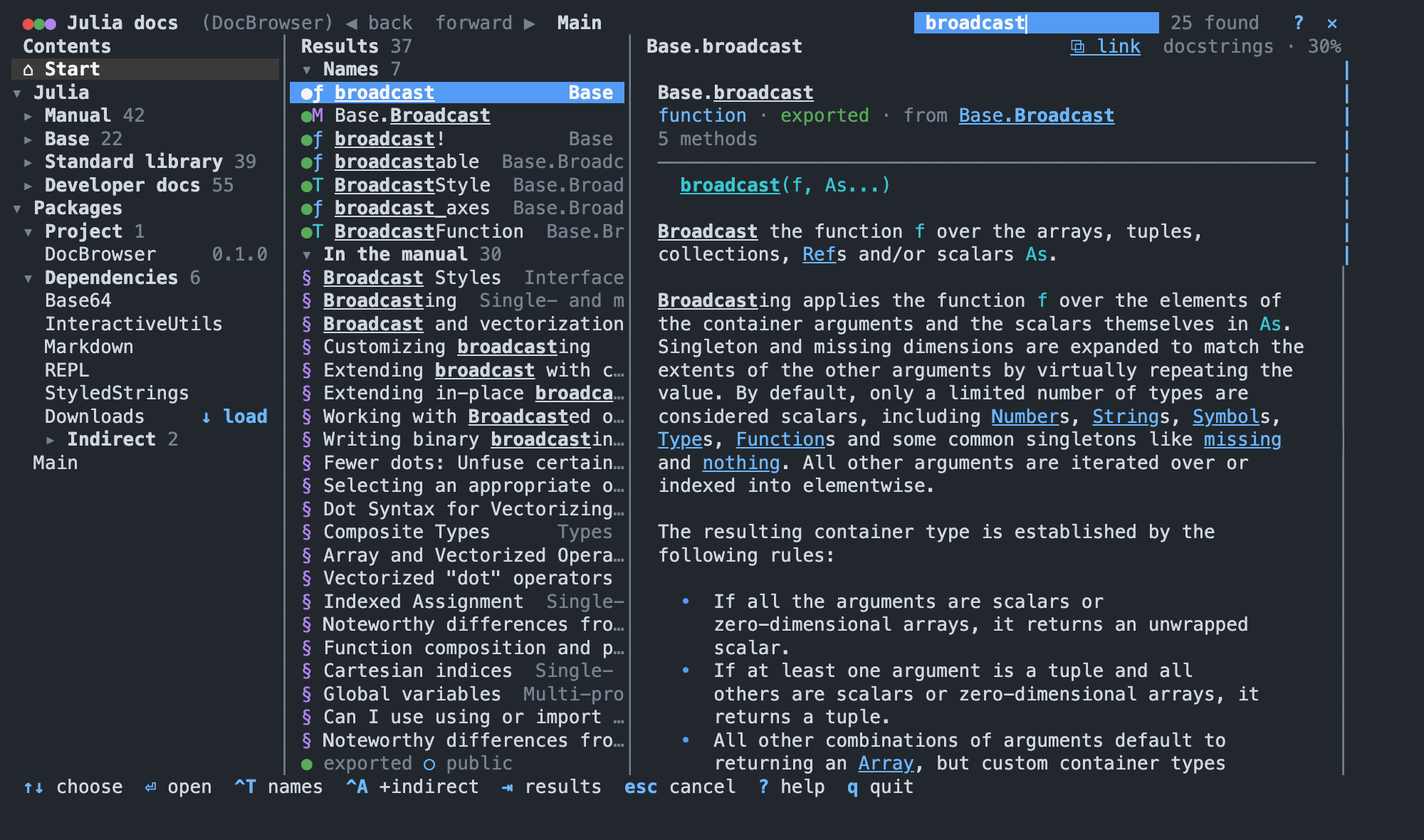
A search finds names first, then sections of the manuals:
Mouse
In terminals that support it, you can click on anything, scroll, and use the mouse's back and forward buttons.
- Right-click (or Alt- or Ctrl-click) opens the source of what you click.
- Click
⧉beside a block of code to copy it. - Drag to copy text; double-click copies a word, triple-click a line.
- To select with your terminal instead, hold Shift while you drag (Option in iTerm2, Fn in Terminal.app).
Sharing a place
Press c (or click ⧉ link above a page) to copy a link such as help?> docs: manual/performance-tips#man-code-warntype. Paste it at the julia> prompt to open the browser at that place.
After docs: you can give:
- a manual page, e.g.
manual/variablesorstdlib/Pkg/environments, optionally with#heading; - a name, e.g.
Base.sum; - the address of a page at docs.julialang.org or pkgdocs.julialang.org.
Where the docs come from
Everything is read from Markdown on your computer:
- Julia's manual from the copy Julia installs.
- Standard libraries' and packages' manuals from their
docs/src. - A package that lives in a subdirectory of a repository (like GLMakie in Makie.jl) comes without its manual, so the browser downloads it in the background, for the version you have installed.
Pages that a package's docs build generates (Literate tutorials, for example) aren't in its source, so the browser links to its online docs instead. If a manual is missing and you want to know why, DocBrowser.explain_docs("Name") says where the browser looked.
Settings
| Environment variable | Effect |
|---|---|
JULIA_DOCBROWSER_AUTODOWNLOAD=no | don't download missing package manuals in the background |
JULIA_DOCBROWSER_SEARCH_URL | the web search for packages with no known repository, with %s for the query (default DuckDuckGo) |
JULIA_EDITOR | the editor that e opens |
Reference
DocBrowser — Module
DocBrowserA full-window, mouse-aware browser for Julia's manual and the documentation of every loaded module. Press Enter at an empty help?> prompt to open it, or call DocBrowser.browse.
The same pages are available as plain text, for programs and AI agents: DocBrowser.find_docs searches, DocBrowser.lookup shows a page, and DocBrowser.list_names lists the names of a module. From a shell, the jldocs app (pkg> app add) and julia -m DocBrowser do the same; jldocs --help says how.
DocBrowser.browse — Function
browse([term]; query=nothing, context=Main) -> Union{String, Nothing}
browse([term,] x)
Open the documentation browser on term. It shows Julia's manual, and every loaded module, split into the active project's dependencies, the indirect dependencies and standard libraries, and Julia's own modules, along with each module's names and their documentation.
query picks where to start: a place in the docs, such as "docs: manual/variables" or the address of a page of the online docs, opens there; a name such as "sum" or "Base.Iterators" opens its documentation; and anything else starts a search. Passing an object x instead opens the documentation of x: a module, a function, a type, or else the type of x. With neither, the browser opens where it was last closed.
Returns the name or the code chosen with y, or nothing.
DocBrowser.download_manual — Function
DocBrowser.download_manual(; force=false) -> StringDownload the Markdown source of Julia's manual for this version of Julia, and return the directory it is kept in. If the commit Julia was built from is not on GitHub, the nearest version is downloaded instead: the release's tag, or its release branch, or master. The browser does this by itself the first time it opens. If Julia has the manual installed, this returns where it is, without downloading anything.